Libraries & components
Libraries
By default zPodFactory comes with a default library that contains all the "official" vmware and misc supported components supported by the framework.
This library is stored in a git repository and is cloned locally, and used to fetch all components metadata (mainly the OVA binary files with some misc information) we use to manage the products.
Listing libraries:

PS: The
defaultlibrary is the only one available for now, but the framework is designed to be able to support multiple libraries.
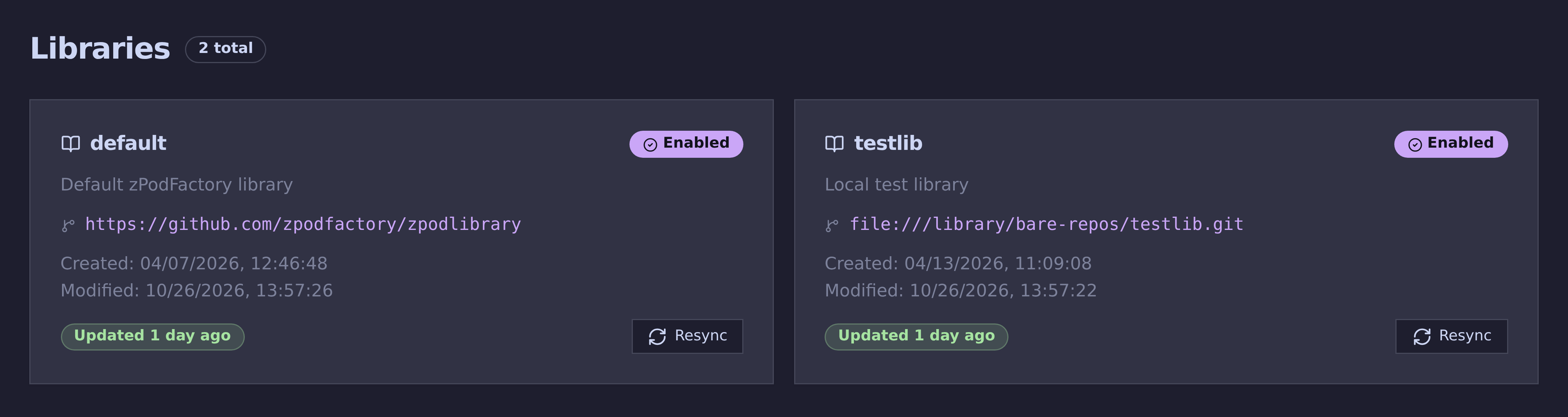
In zpodweb, the Libraries page shows each library as a card, with its git repository, when it was last synced, and a Resync button:
Resync the library:
PS: The
resynccommand will refresh all thecomponentsmetadata from the git repository, and will update the local database with the new information.
Components
Most administrators use the Components page in zpodweb — a searchable, filterable catalog where you can enable or disable components, watch download progress, and upload OVA/ISO files via file picker. The CLI commands below call the same zPod API.
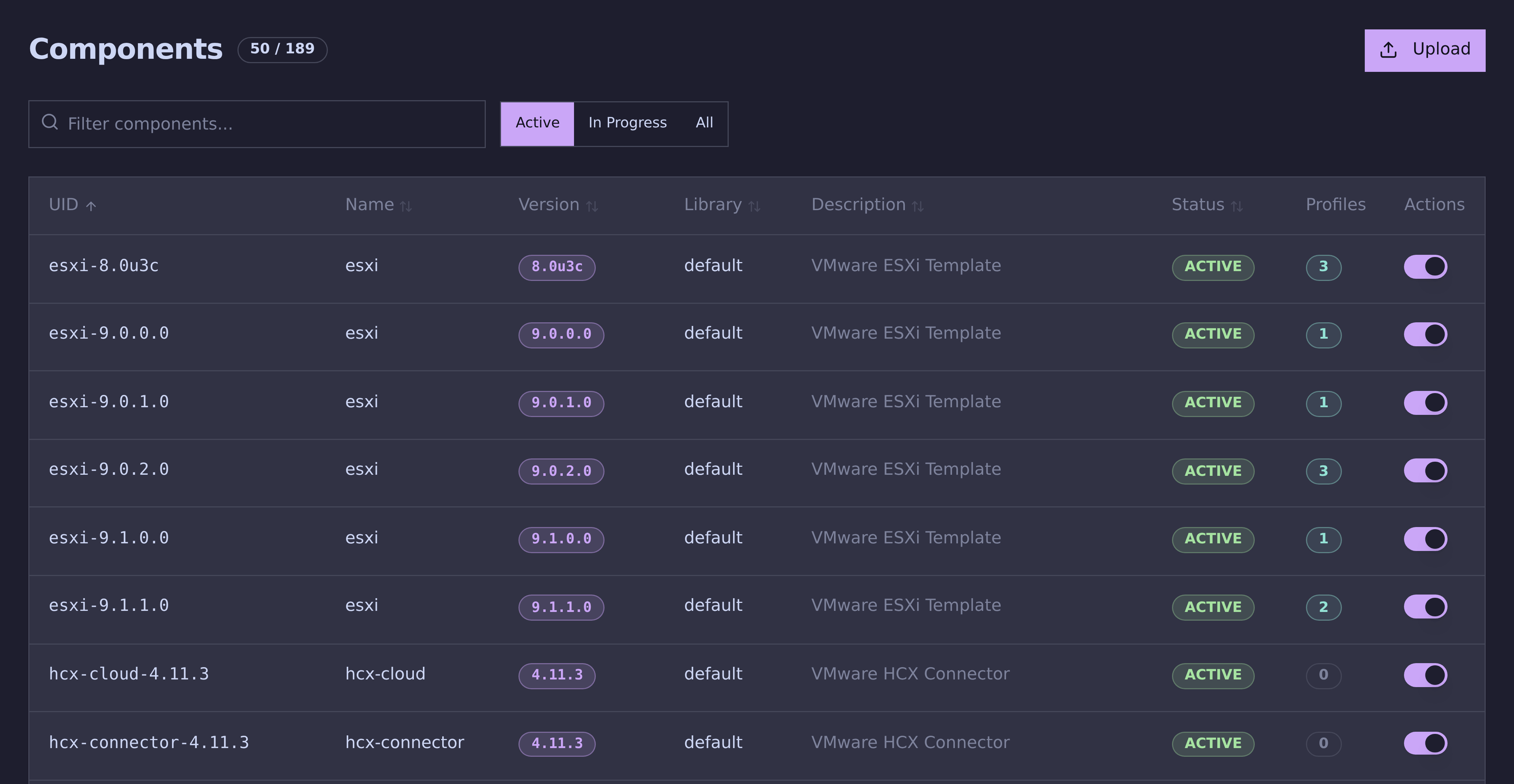
Each row shows the component's version, library and status, how many profiles use it, and a toggle to enable or disable it. The Active, In Progress and All filters switch between components ready to deploy, downloads and uploads still running, and the whole catalog.
Enabling a component triggers the embedded download engine. Configure zpodfactory_broadcom_download_token first for VMware products from the Broadcom depot — set it under Settings in the Web UI, or via CLI (see Broadcom download token). When depot download is not possible, use Upload in the Web UI or zcli component upload for manual OVA provisioning.
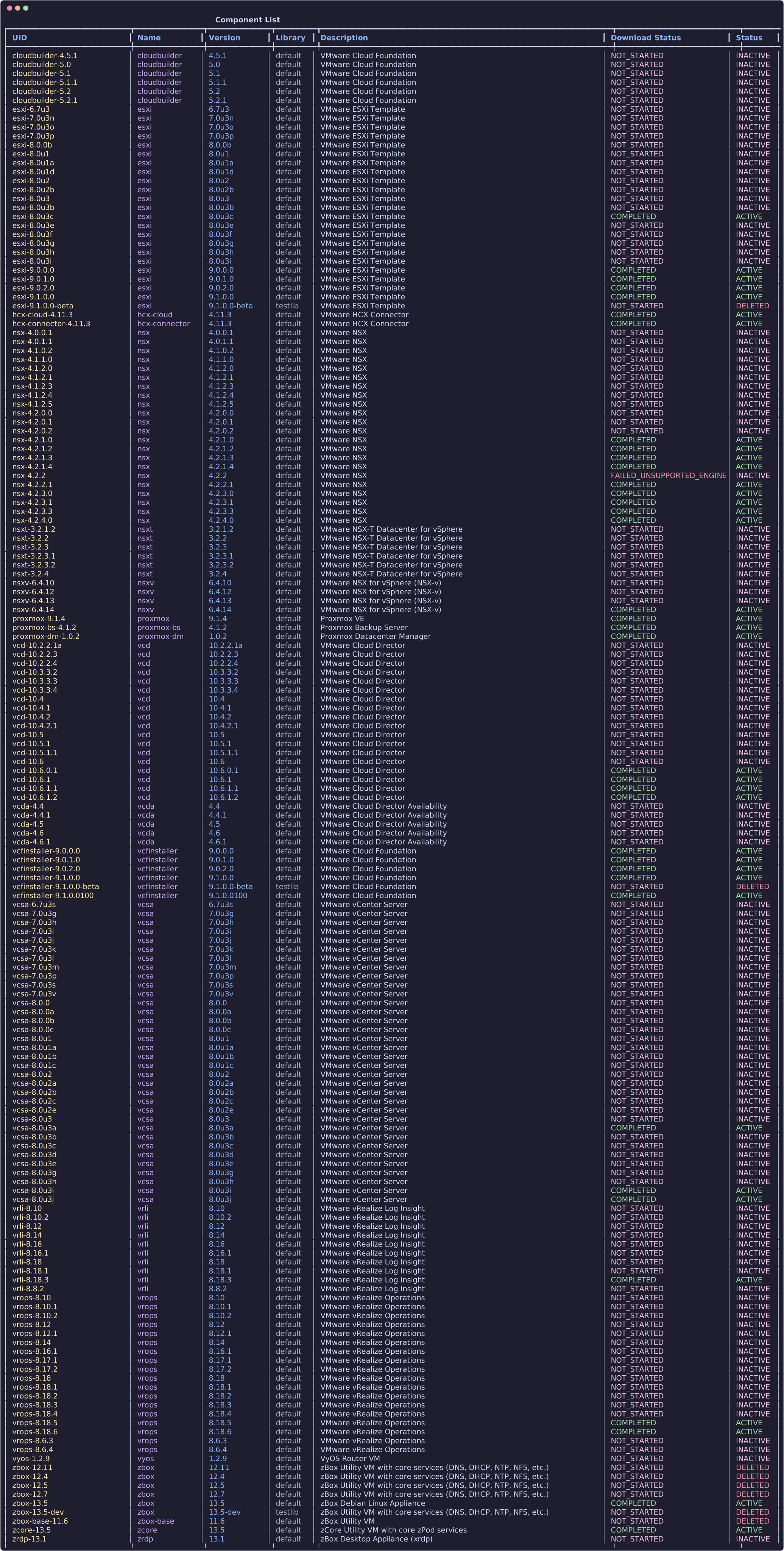
List all components:
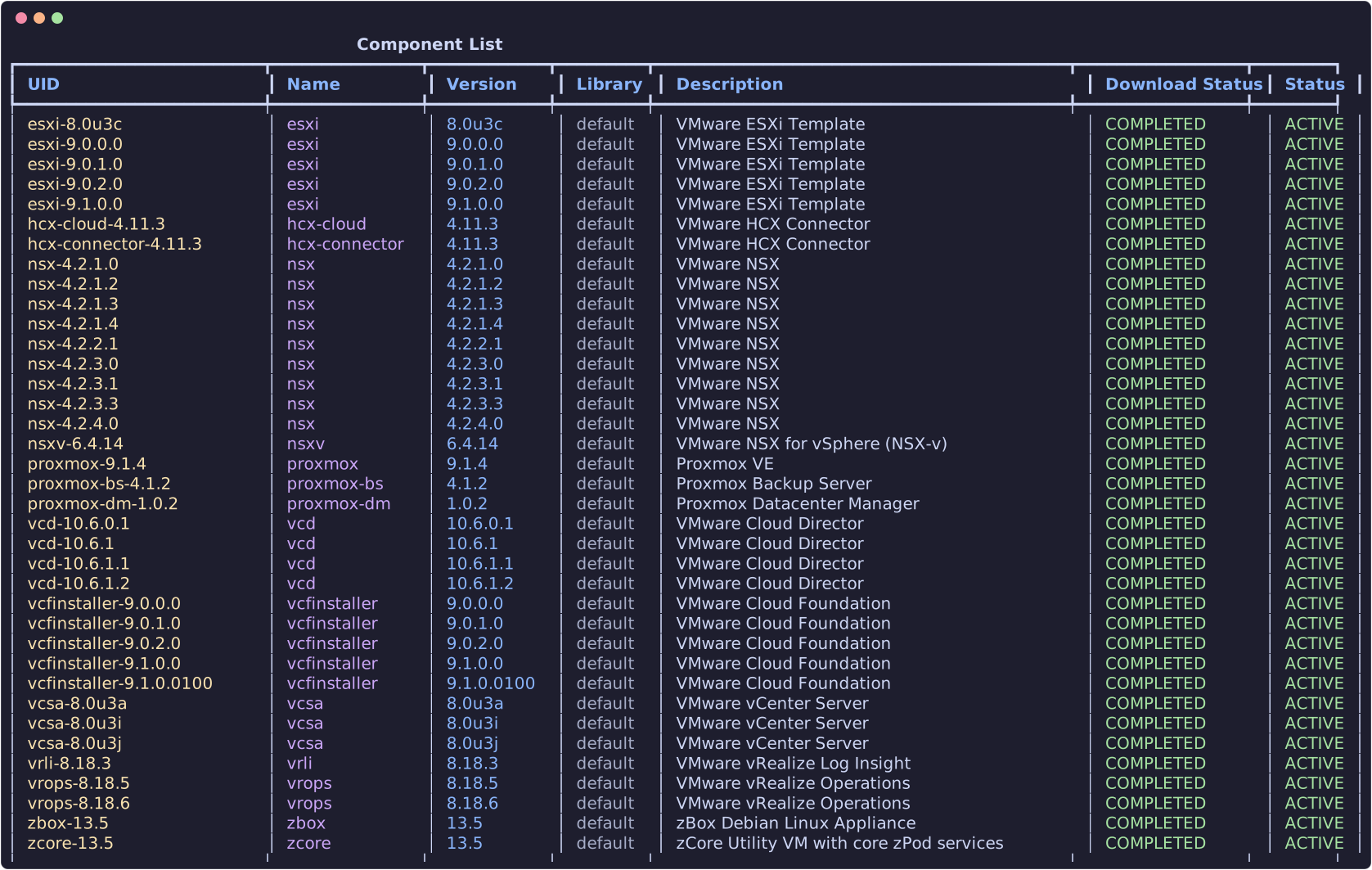
List all available components (ready to deploy):
Enable a component (make it available for deployment):
In zpodweb, open Components, find the component, and click Enable — the same download flow runs as the CLI command below.
Download engines
The download engine supports the https engine only (direct wget from URLs in the library). VMware product URLs use the Broadcom offline depot layout with a ${BROADCOM_DOWNLOAD_TOKEN} placeholder substituted at runtime.
Non-VMware components (such as zcore) may use direct HTTPS URLs. The upload feature remains available as a fallback — checksum verification matches the file against library metadata and enables the correct component automatically.
You will need to use the component UID (unique name of the component, as depicted in the list command above)
Disable a component (removes the product file from disk):
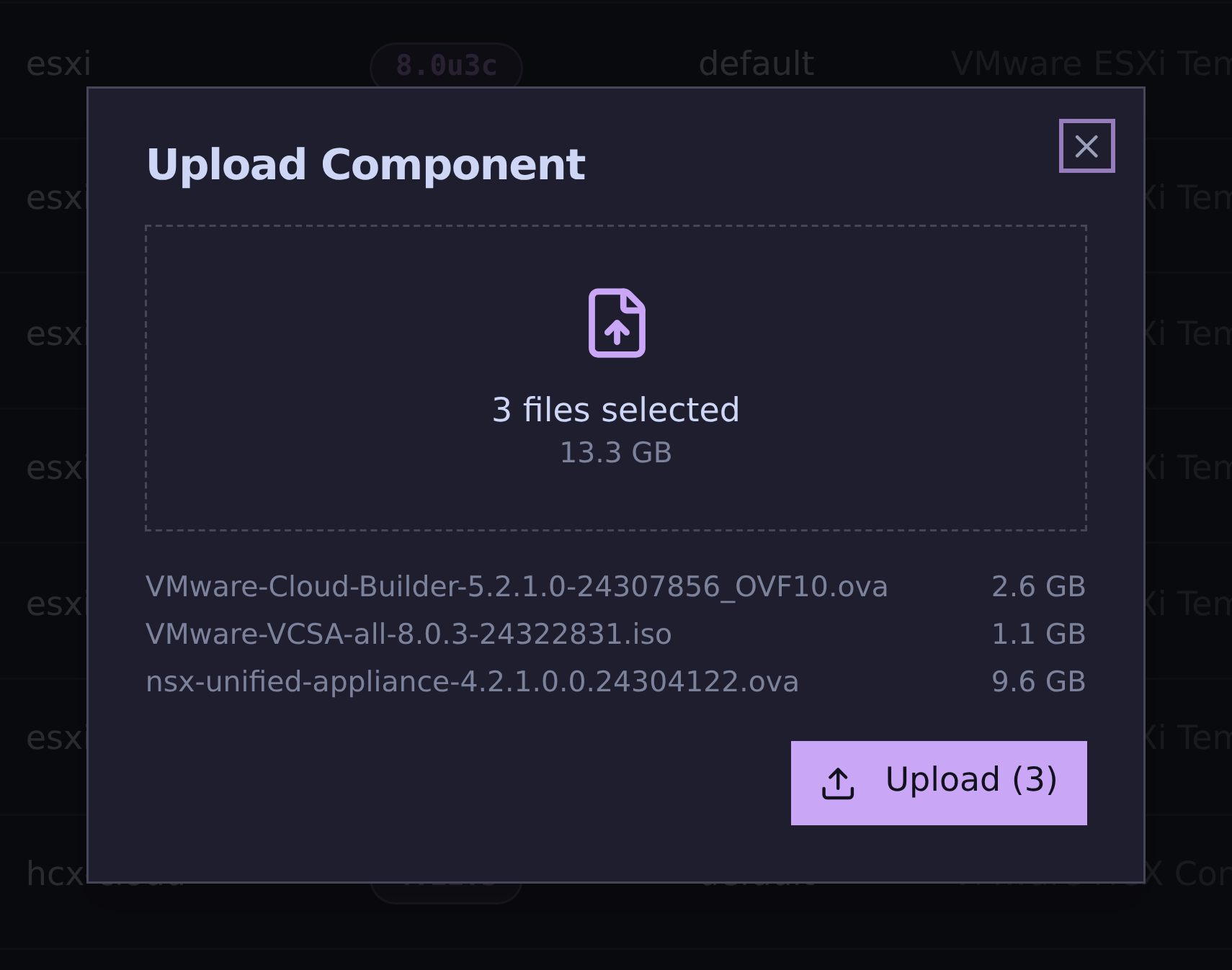
Upload a component to zPodFactory:
In zpodweb, use Components → Upload to select one or more OVA or ISO files from your workstation. The dialog lists every selected file with its size and the total, and uploads them all at once:
Uploads run in the background, so you can close the dialog and keep working. The upload button at the top right of the header counts the uploads still running; hover over it to see each file's progress, speed and time left. Each file is sent in 64 MB chunks, and an interrupted upload resumes where it stopped. A cross next to a running upload cancels it. Finished uploads turn green (red if they failed), and Clear finished empties them from the list:
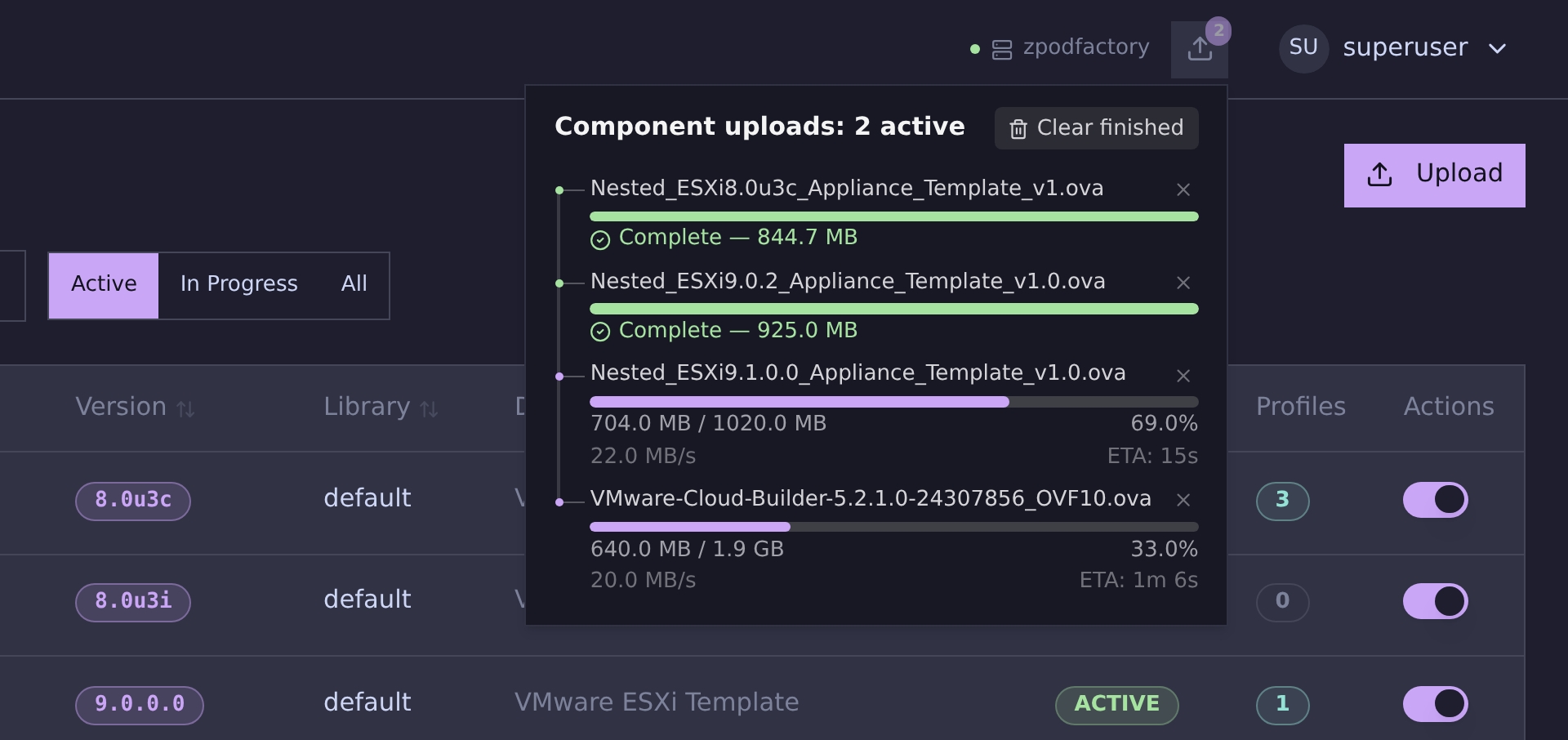
Each file is checked against the library's checksums, and the matching component is enabled automatically.
You can follow progress in zpodweb (Components list shows download percentage and status), with zcli component list, or inspect a specific component:
JSON output is available on list/get commands with -j / --json for automation.
Download engine
The download engine fetches component binaries defined in the zPodLibrary. See the dedicated Broadcom download token guide for obtaining and configuring the token, troubleshooting 401/403 errors, and testing downloads.
Quick reference
VMware product URLs use the Broadcom offline depot layout:
Configure your token:
Only the https download engine is supported. Use zcli component upload as a fallback when depot download is not available.
Why is a product not available?
There can be multiple reasons for that:
- We just haven't added it yet (time)
- This could also be because we are missing automation bits around it
- This could also be because our download engine tooling can't fetch the product from VMware Customer Connect (there are some caveats on some specific Product sections)
- The product is not available on the Broadcom depot (check your portal entitlements and token)
- The library JSON still references a deprecated download engine (only
httpsis supported)
Info
Let us know which products you would like to be supported by zPodFactory and the download engine, and if you can provide any automation bits around it, that would be awesome.