Profiles
Profiles are a collection of components grouped together to form an initial nested environment.
They are the main entry point to deploy a nested environment and require a mandatory zcore-* core component as the first element (profiles that still start with the legacy zbox-* core must be migrated — see zcore migration). The current zbox component, a Debian Linux appliance, is an ordinary component: it can appear anywhere after zcore, any number of times.
The core appliance (zcore) provides DNS/DHCP (dnsmasq), NFS storage for nested ESXi hosts, and routing for the three additional /26 subnets on VLANs 64/128/192.
Profile entries support optional per-component overrides:
| Field | Applies to | Description |
|---|---|---|
host_id |
esxi, etc. | Management subnet host ID |
hostname |
esxi, etc. | Short hostname |
vcpu, vmem |
esxi, proxmox, etc. | Sizing overrides |
vnics |
esxi, etc. | vNIC count (integer, e.g. 4) |
vdisks |
esxi | Extra virtual disk sizes in GB (array of integers, e.g. [40, 800]) |
Use -j for JSON output (used by just zcore-transition and automation):
zcli profile info <name> -j
zcli profile create <name> -pf profile.json
zcli profile update <name> -pf profile.json
zcli profile delete <name>
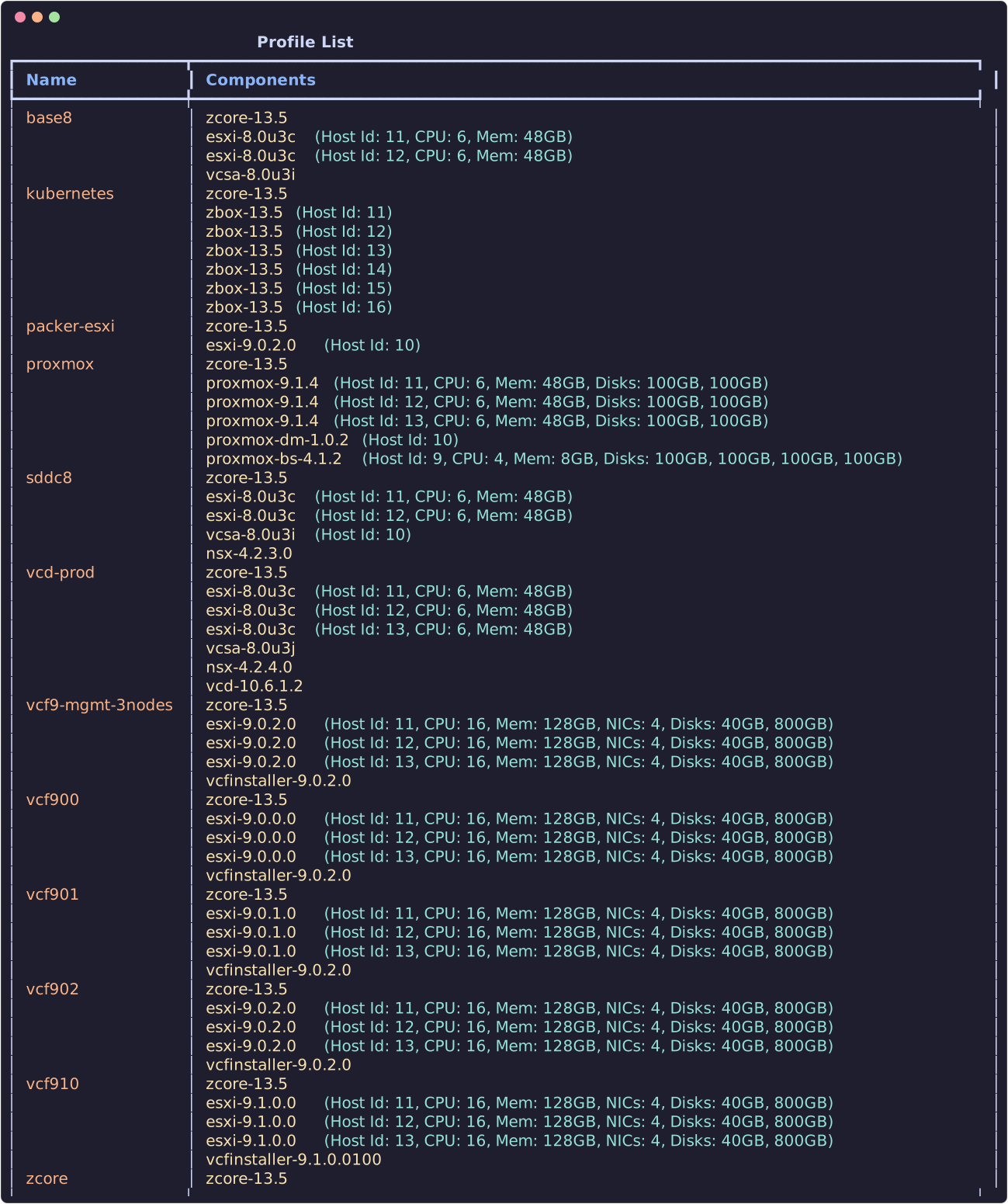
Create a profile
Profiles can be created by an admin user, using the zPod API directly or the zPod CLI (zcli)
Prepare a profile.json file with the content of the profile, here is an example.
Info
zcore-* component and esxi components are mandatory; all other components are optional.
To find which components are available, check the zcli component list command, or check the zPodFactory library.
Usually you want at least a zcore, a few esxi hosts and a vcsa or VCF profile as the base for any work/testing.
[
    {
      "component_uid": "zcore-13.7"
    },
    [
      {
        "component_uid": "esxi-8.0u3i",
        "host_id": 11,
        "hostname": "esxi11",
        "vcpu": 8,
        "vmem": 64
      },
      {
        "component_uid": "esxi-8.0u3i",
        "host_id": 12,
        "hostname": "esxi12",
        "vcpu": 8,
        "vmem": 64
      },
      {
        "component_uid": "esxi-8.0u3i",
        "host_id": 13,
        "hostname": "esxi13",
        "vcpu": 8,
        "vmem": 64
      },
      {
        "component_uid": "esxi-8.0u3i",
        "host_id": 14,
        "hostname": "esxi14",
        "vcpu": 8,
        "vmem": 64
      }
    ],
    {
        "component_uid": "vcsa-8.0u3i"
    },
    {
        "component_uid": "vcd-10.6.1"
    },
    {
        "component_uid": "nsx-4.2.1.3"
    }
]
Next use zcli to create the profile:
It then appears in zcli profile list, and in the Profiles page of the Web UI.