Web UI (zpodweb)
zpodweb is the official web interface for zPodFactory. It connects to the zPod API (zpodapi) and provides a visual way to manage zPods, endpoints, components, libraries, profiles, and factory settings — without using the CLI for day-to-day operations.
The UI uses a Catppuccin Mocha dark theme, responsive sidebar navigation, and an Nginx reverse proxy so the browser never talks directly to the API (no CORS issues).
Included with the appliance
The zPodFactory appliance deploys zpodweb automatically during first boot. The appliance install script:
- Clones zPodFactory/zpodweb into
~/git/zpodweb - Pre-configures
.envwith the appliance API URL (http://<appliance-ip>:8000) and API token - Starts the zpodweb Docker Compose stack
Once the appliance finishes provisioning, open:
If a single target is configured, zpodweb auto-connects on page load — you land directly on the dashboard.
Ports on the appliance
| Service | Default port | Purpose |
|---|---|---|
| zpodweb | 8500 |
Web UI |
| zPod API | 8000 |
REST API / OpenAPI docs at /docs |
| Prefect UI | 8060 |
Flow engine task monitoring |
Screenshots
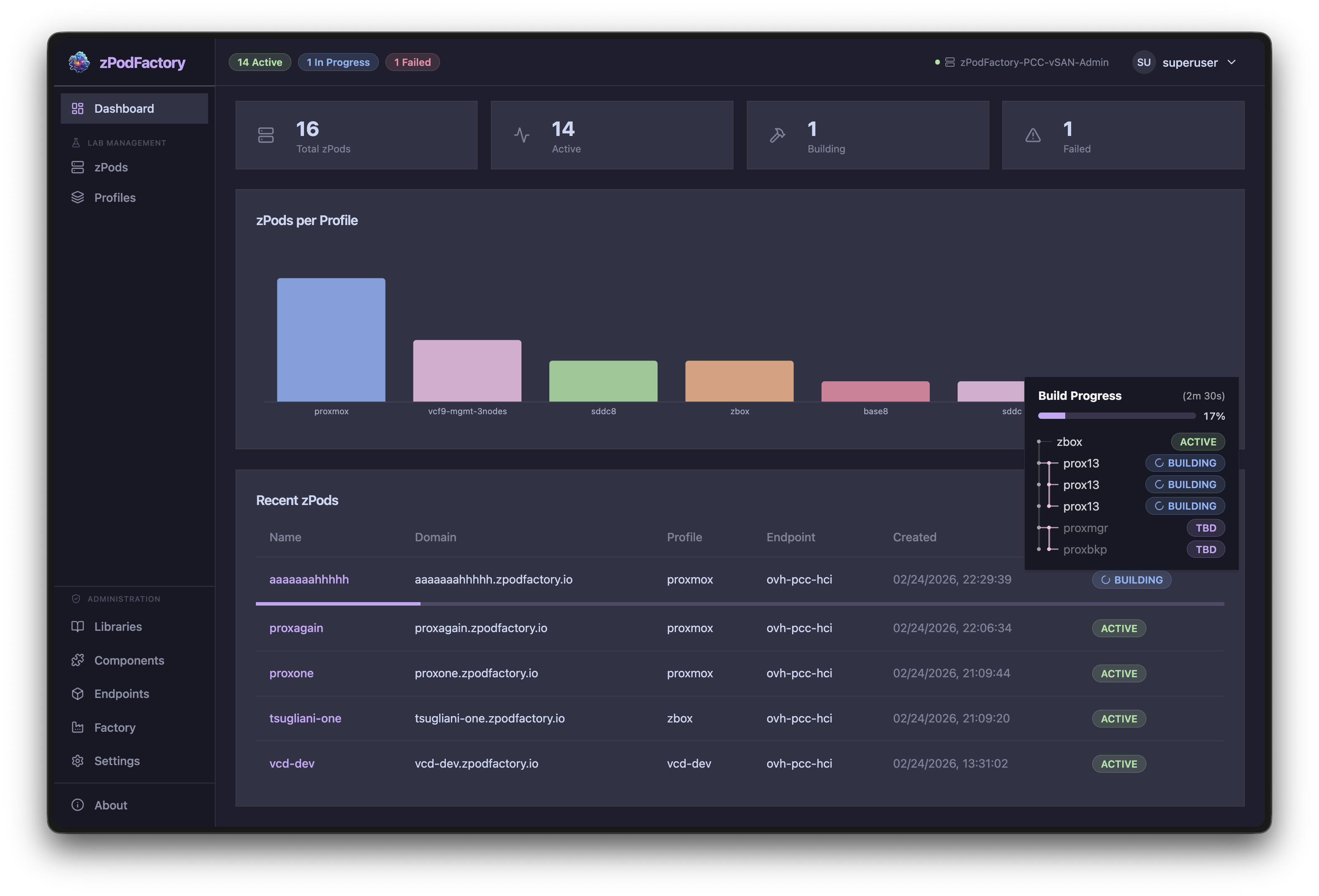
Dashboard
Overview of zPod counts, status distribution, and recent activity charts.
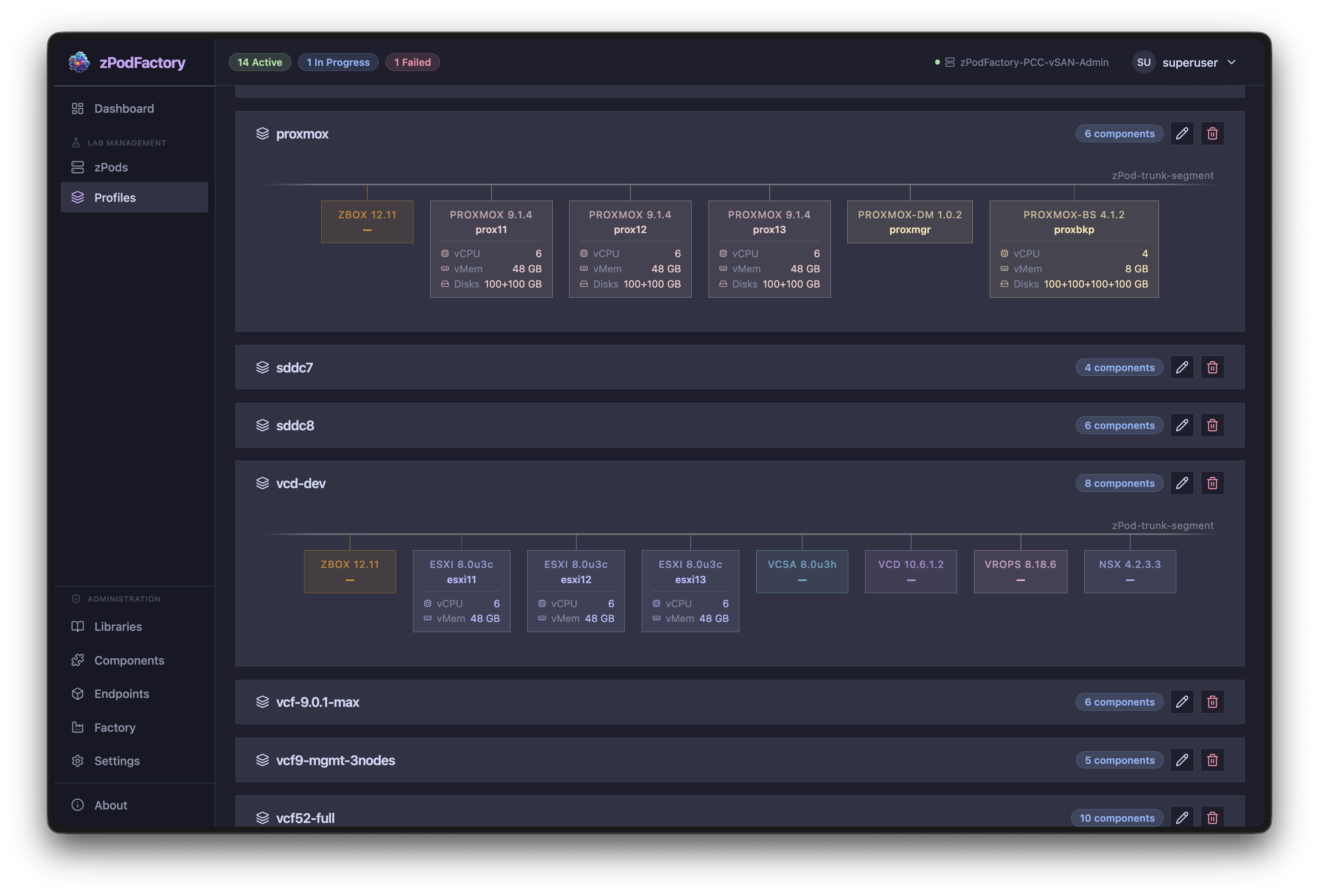
Profiles
Browse and inspect deployment profiles and their component definitions.
Components
The Components page is the usual starting point for preparing OVA/ISO files before building profiles or zPods:
- Browse — search and filter the full library catalog (all, active, or in-progress downloads); sort by UID, name, version, or status
- Enable — triggers the same download engine as
zcli component enable; VMware products use the factory's configured Broadcom download token - Upload — provide binaries manually when depot download is unavailable (equivalent to
zcli component upload); checksum matching enables the correct component automatically - Progress — live download percentage and status while components are fetched from the depot or verified after upload
Set zpodfactory_broadcom_download_token under Settings in the Web UI (or via CLI) before enabling Broadcom depot components such as NSX or vCenter OVAs.
Features
| Area | What you can do |
|---|---|
| Dashboard | zPod counts, status distribution, activity charts |
| zPods | List, create, inspect, and destroy zPods with full detail views |
| Network topology | Visio-style interactive diagram — NSX T0/T1, trunk segments, zCore interfaces, deployed components |
| Network table | Auto-computed CIDR, gateway, DNS, VLAN ID, and router info per zPod network |
| Endpoints | View compute (vSphere) and network (NSX) configurations side by side |
| Components | Searchable, filterable component catalog; enable/disable with download progress; upload OVA/ISO via file picker; depot downloads via Broadcom download token |
| Libraries | Manage libraries with enable/disable and resync |
| Profiles | View and edit deployment profiles |
| Settings | View and manage global factory settings |
| Multi-target | Connect to multiple zPodFactory instances; auto-connect when only one target is saved |
First login
On the appliance (pre-configured)
The appliance writes the superuser API token into zpodweb's .env during install. Browse to http://<appliance-ip>:8500 — no manual token entry is required when defaults are applied correctly.
Manual or remote access
If you deploy zpodweb yourself, or connect from a workstation to a remote zPodFactory instance:
- Open the zpodweb login page
- Enter the API URL (e.g.
http://zpodfactory.domain.lab:8000) - Enter your API token (from an administrator, or from
~/.config/zcli/.zclircon the appliance)
Target configurations are stored in the browser's localStorage. With a single saved target, zpodweb auto-connects on the next visit.
Manual deployment
For development or non-appliance installs, zpodweb runs as a Docker container:
git clone https://github.com/zPodFactory/zpodweb.git
cd zpodweb
cp .env.example .env
# Edit .env — set ZPODWEB_DEFAULT_ZPODFACTORY_API_URL and _API_TOKEN
docker compose up -d --build
Open http://localhost:8500 (or the port set in ZPODWEB_DEFAULT_UI_PORT).
See the zpodweb README for development setup (npm run dev) and environment variables.
Web UI vs CLI
Both interfaces talk to the same zPod API. Use whichever fits the task:
| Prefer zpodweb | Prefer zcli |
|---|---|
| Visual zPod/network topology overview | Scripting and automation (-j JSON output) |
| Browse, enable, and upload components (Broadcom depot or file picker) | Bulk operations in shell scripts |
| Browsing profiles and factory settings | CI/CD pipelines and just recipes |
| Quick create/destroy from the browser | Headless appliance administration |
The User Guide documents CLI workflows. Administrators should also see the Admin Guide for settings, permissions, and feature flags.
Source repository
- GitHub: https://github.com/zPodFactory/zpodweb
- Stack: React 19, TypeScript, Vite, Tailwind CSS, Radix UI, Zustand, Recharts