zPods
zPods are the nested environments name in the zPodFactory framework.
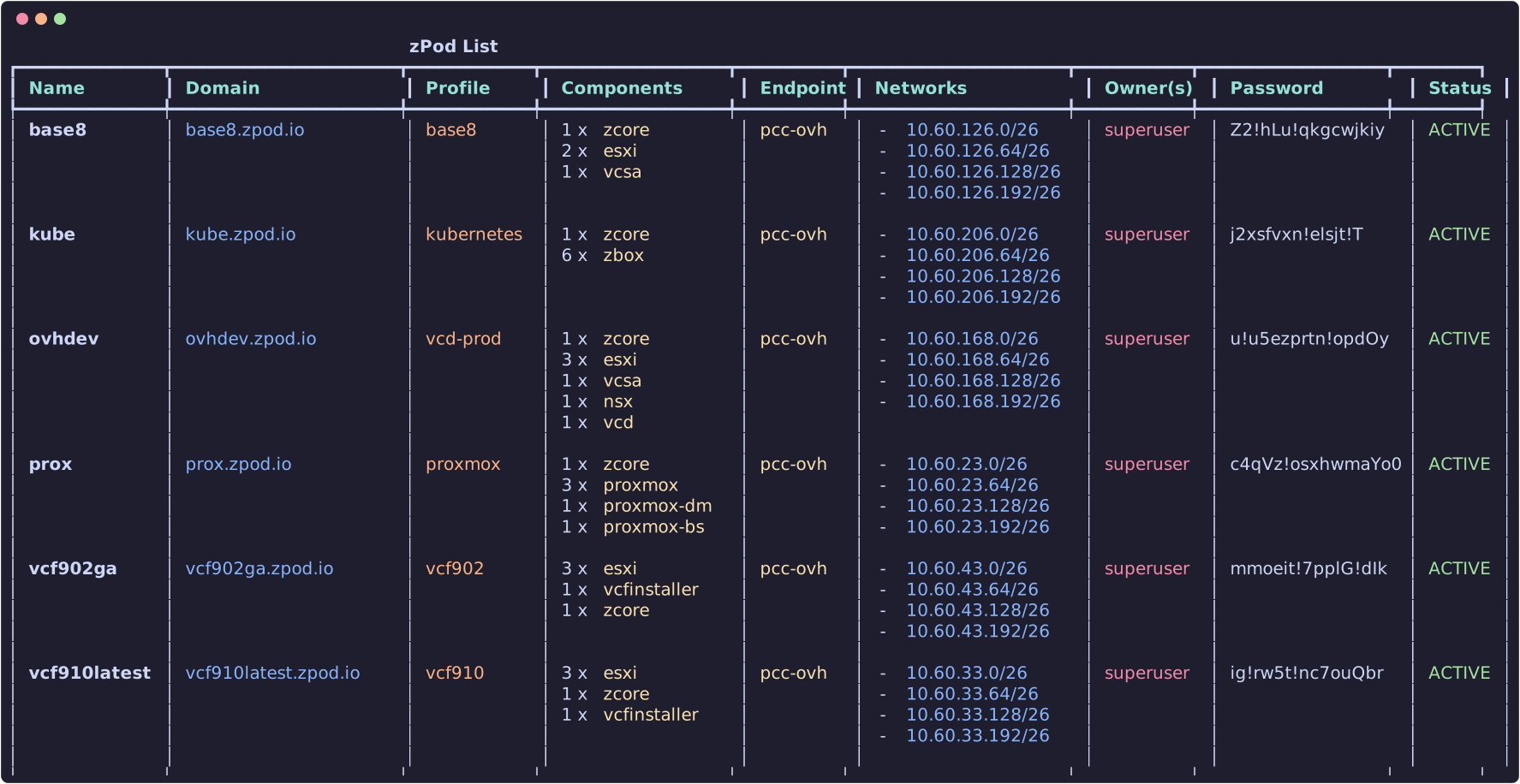
List zPods
Create zPods
To create a zPod you will need to provide a few parameters:
name: The name of the zPod (must start with a letter; emoji characters are rejected). Non-superadmin users may be required to prefix names with their username whenff_restrict_zpod_with_username_prefixis enabled.profile: The profile to use (usezcli profile list). Ifff_zpod_default_profileis set,--profilecan be omitted.endpoint: The endpoint to deploy onto (usezcli endpoint list). If only one endpoint exists, it is selected automatically.
Additional options:
zcli zpod create <name> -p <profile> -e <endpoint> \
  --description "My lab" \
  --domain custom.domain.lab \   # optional domain override
  --enet <enet_name> \           # optional ENET override
  --wait                         # wait until deploy completes
For example:
This will create a zPod with the following attributes:
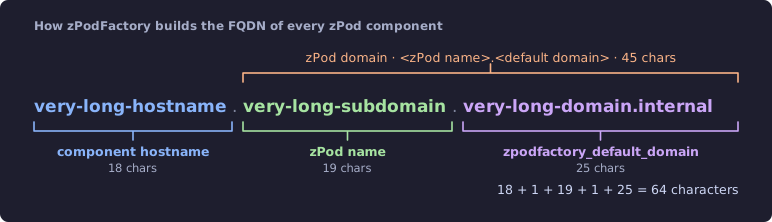
name:test— concatenated withzpodfactory_default_domainfor the zPod FQDN (test.zpodfactory.domain). The core appliance is atzcore.test.zpodfactory.domain.
Info
The base domain is configured by the zpodfactory_default_domain setting and should not be changed after initial setup.
Check Settings & feature flags for more information.
Every component FQDN is built the same way, <hostname>.<zPod name>.<default domain>:
-
profile:base— deploys the components defined in that profile. A typicalbaseprofile includes:zcore-13.7(mandatory core: DNS/DHCP, NFS, guest VLAN routing)esxi-8.0u3i(Host Id: 11, CPU: 4, Mem: 48GB)esxi-8.0u3i(Host Id: 12, CPU: 4, Mem: 48GB)vcsa-8.0u3i
Info
The base profile is a profile that can ONLY be configured by an Administrator.
Check Profiles for more information.
endpoint:sddc-labwill reference the endpoint to use to deploy the zPod. In this case it will be thesddc-labendpoint that is configured by an Administrator, and should link to the physical environment that will host this zPod nested environment.
Info
The sddc-lab endpoint is an endpoint that can ONLY be configured by an Administrator.
Check Endpoints for more information.
Accessing the zPod
Once deployed, inspect connection details with:
This shows networking, component URLs, credentials, and Proxmox UI links where applicable. Use -j for JSON or -f to pick panels: b Basic, n Networking, c Components, s Storage, d DNS (for example -f bnc).
For vCenter:
username:administrator@name.zpodfactory.domainpassword: Each zPod has a generated password — fetch it fromzcli zpod listorzcli zpod info.
For other components, use the default administrator account for that product (root, admin, etc.; administrator for VCD). The password is always the zPod password.
Destroy zPods
Warning
This will destroy the zPod and all its components without confirmation, and will not be recoverable.