Components
In zPods we deployed a zPod with the base profile, which does not contain many products, but only the bare minimum to have a functional nested environment.
Here we will show you how to list the available components, and add a new component to a deployed/available zPod.
List components
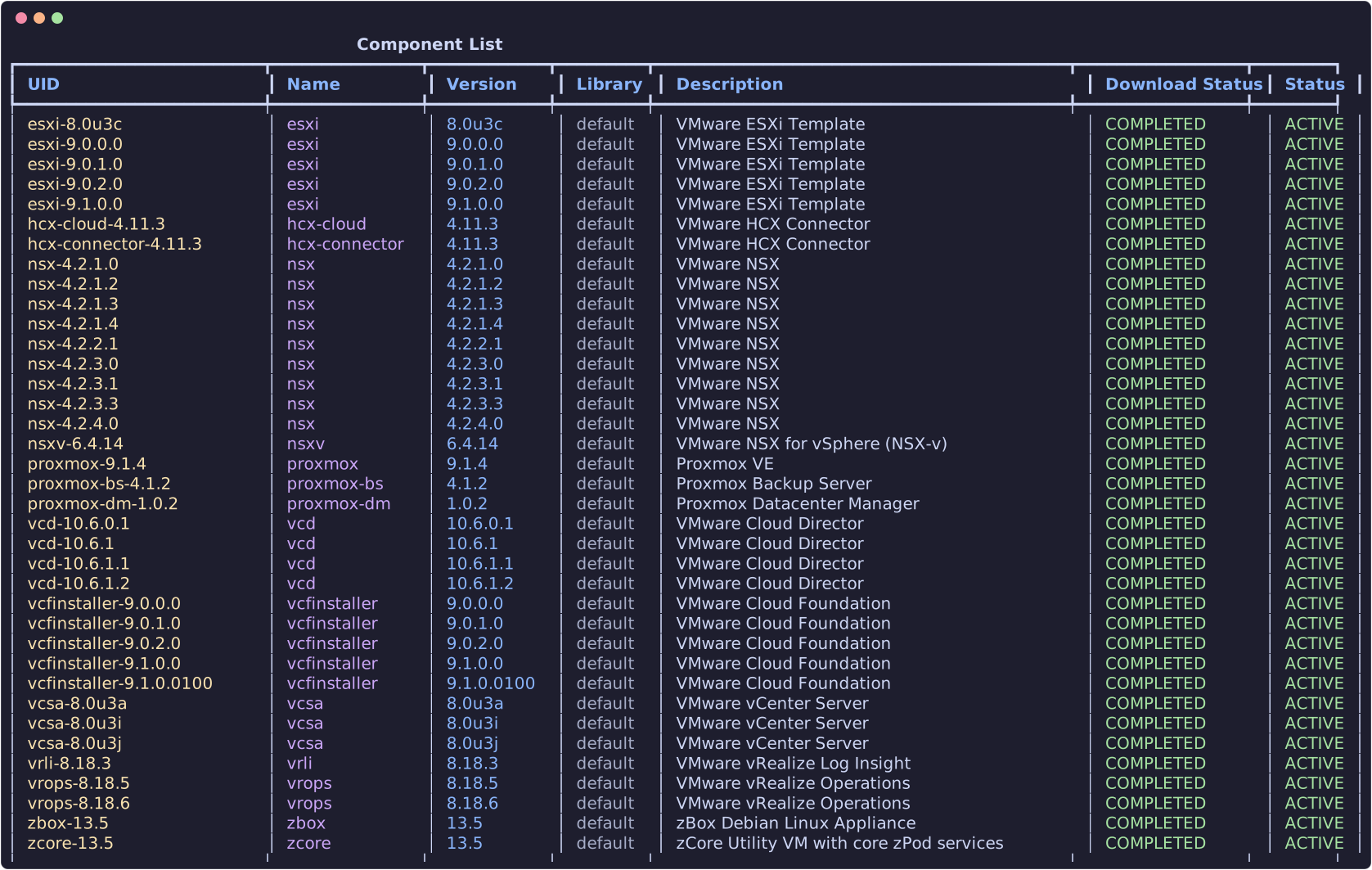
List components of a zPod
You will need to provide the zpod name parameter so that the CLI knows which zPod to list the components from.

Add components to a zPod
Provide the component_uid (use zcli component list). Optional overrides match profile fields — useful for ESXi hosts that need custom sizing:
| Flag | Type | Example |
|---|---|---|
--host-id |
integer | 13 |
--hostname |
string | esxi13 |
--vcpu, --vmem |
integer | 16, 128 |
--vnics |
integer | 4 (vNIC count, not a JSON object) |
--vdisks |
integer (repeatable) | --vdisks 40 --vdisks 800 → disks of 40 GB and 800 GB |
Example aligned with a VCF-style profile entry (see zcli profile info vcf-902-3hosts):
zcli zpod component add <zpod_name> -c esxi-9.0.2.0 \
  --host-id 13 --hostname esxi13 \
  --vcpu 16 --vmem 128 \
  --vnics 4 \
  --vdisks 40 --vdisks 800
In profile JSON the same host would look like:
{
  "component_uid": "esxi-9.0.2.0",
  "host_id": 13,
  "hostname": "esxi13",
  "vcpu": 16,
  "vmem": 128,
  "vnics": 4,
  "vdisks": [40, 800]
}
Example:
Supported component families include VMware products (vSphere, NSX, VCF, HCX, etc.) and Proxmox (proxmox, proxmox-dm, proxmox-bs).